Understanding recurring schedules
Roles and permissions
The following roles can configure a recurring schedule:
Anyone with manager permissions for the object being scheduled
Recurring schedules offer a flexible, calendar-based approach to initiate automated actions on a predictable schedule. Rather than relying on events that occur at irregular points in time, schedules allow you to define when something should happen based on real-world review cycles—such as monthly, quarterly, or annual timelines.
This approach reflects how teams plan and operate in practice. Reviews, checks, and follow-ups are typically tied to established calendar moments, such as the last day of a quarter or the first Monday of the month, rather than when an item was last touched. Scheduling intervals allow you to configure these moments explicitly, ensuring the system reliably initiates the next step at the right time without requiring users to manually track dates or calculate offsets.
You can use a recurring schedule to initiate the following:
Freshness expiration for controls, control scopes, labels, and vendors.
Supported scheduling interval types
When you configure a recurring schedule, the start date is automatically calculated and displayed in the scheduling window.
Note
Invalid dates, such as February 31st, are automatically set to the last valid day of the month.
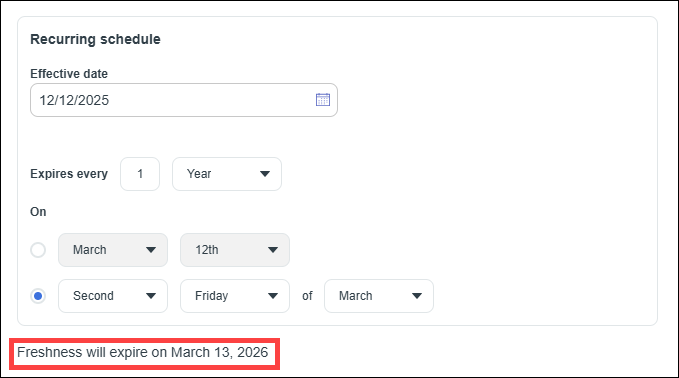
Yearly intervals
Yearly scheduling patterns support:
Specific calendar dates, such as March 15 every year.
Ordinal weekday of a month, such as the first Monday of June
Semi-annual intervals
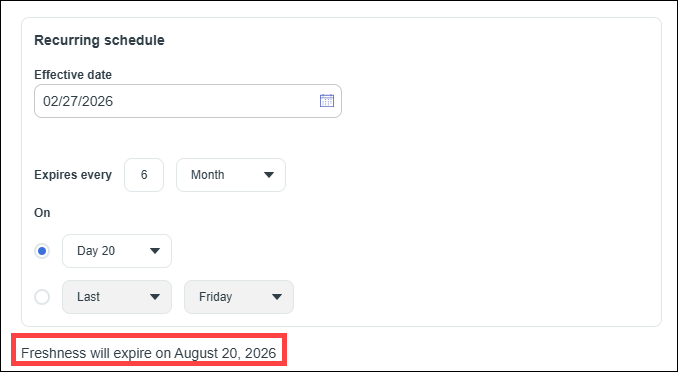
Semi-annual intervals are configured by setting the Expires every option to 6 months and then configuring one of the following patterns:
Day of month
Initiate the action on a specific day, 1-31.
If the selected day doesn't exist in a given month, such as the 30th in February, the schedule is set to the last day of that month.
Ordinal weekday - Example scheduling patterns include:
First Monday
Second Tuesday
Last weekday
Last day of the month
Quarterly intervals
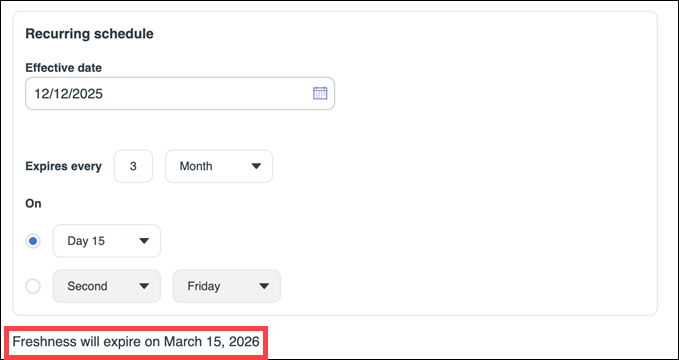
Quarterly intervals are configured by setting the Expires every option to 3 months and then configuring one of the following patterns:
Day of month
Initiate the action on a specific day, 1-31.
If the selected day doesn't exist in a given month, such as the 30th in February, the schedule is set to the last day of that month.
Ordinal weekday - Example scheduling patterns include:
First Monday
Second Tuesday
Last weekday
Last day of the month
Monthly intervals
Monthly intervals support two distinct patterns:
Day of month
Initiate the action on a specific day, 1-31.
If the selected day doesn't exist in a given month, such as the 30th in February, the schedule is set to the last day of that month.
Ordinal weekday - Example scheduling patterns include:
First Monday
Second Tuesday
Last weekday
Last day of the month

Weekly intervals
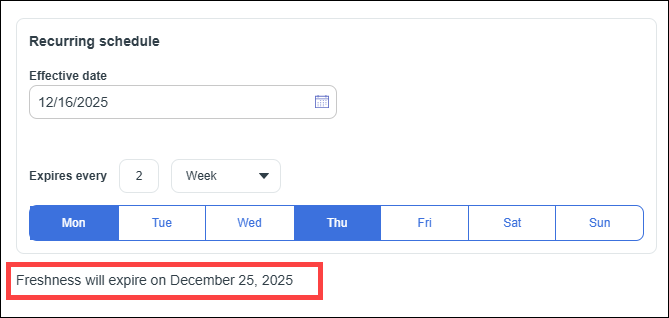
Weekly intervals allow you to:
Choose one or more days of the week, such as Mondays and Thursdays.
Note
If you don't select any days of the week, Hyperproof uses the day of the week of the effective date.
Schedule the action:
Weekly on <selected days>, or
Every X weeks on <selected days>
This supports common patterns such as:
Weekday-only
Bi-weekly on specific weekdays
Every X intervals
For all interval types, you can specify the action to occur every X units, such as every 2 weeks, every 3 months, or every 2 years.
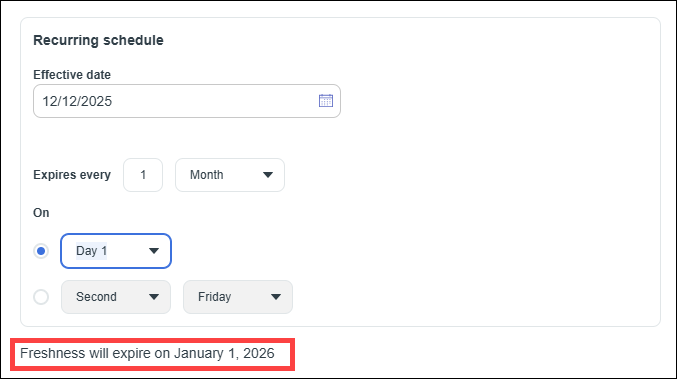
How the effective date affects the start date for a recurring schedule
The Effective Date defines the moment when a schedule becomes active and begins governing when future actions occur. It does not represent the first action itself; instead, it establishes the starting boundary from which the system evaluates the schedule and determines the first applicable occurrence. It sets the point in time when this schedule should begin. Calculations for the schedule begin from this date. Note the following:
The effective date activates the schedule; it does not define the cadence.
The schedule will never start before the effective date.
The scheduled date is the earliest occurrence on or after the effective date.
If the calculated first scheduled date is the same as today and also matches the effective date, the action occurs immediately upon saving the schedule.
The effective date allows you to precisely control when a schedule begins initiating actions independent of when the schedule is created or saved.
Tip
To be sure when the next action will take place, check the date below the recurrence settings.
See the following examples of how Hyperproof calculates the start date for the first action:
Monthly schedule where the selected date is before the effective date
Effective date - November 25
Schedule - Every month on the 24th
The 24th falls before the effective date. Hyperproof advances the schedule to the next month and sets the first scheduled date to December 24th.
Monthly schedule where the selected date is the same as the effective date
Effective date - November 25th
Schedule - Every month on the 25th
The 25th falls on the effective date. Hyperproof sets the first scheduled date to November 25th. The action occurs as soon as the schedule is saved.
Monthly schedule where the selected date is after the effective date
Effective date - November 25
Schedule - Every month on the 26th
The 26th is the day after the effective date. Hyperproof sets the first scheduled date to November 26th.
Weekly schedule with multiple days selected
Effective date - Tuesday, November 25
Schedule - Every 2 weeks on Sunday and Monday
Sunday and Monday occur before the effective date. Hyperproof sets the first scheduled date to Sunday December 7th.
How to set a specific first expiration date
To target a specific first expiration date, set the effective date to the date you want freshness to first expire. For example, if a control needs to expire quarterly on the last day of the month with a first expiration of June 30:
Set the Expires every option to 3 months, on the last day of the month
Set the Expires every option to 3 months, on the last day of the month
Confirm that the Freshness will expire on... dates at the bottom of the window are correct.