Exporting auditor tests
Roles and permissions
The following users can export audit tests from the audit Controls tab.
Anyone who is a manager or contributor on the audit can export the control ID, name, and overall test status.
Auditors with an auditor role on the audit can export all of the information for each control being tested.
You can export data associated with audit tests on controls to have a snapshot or record of the test status and test data for one or more controls. Some data is confidential and is only available to auditors.
From the left menu, select Audits.
Select the audit where you want to export data.
Select the Controls tab.
Select the checkboxes for the controls with test data you want to export.
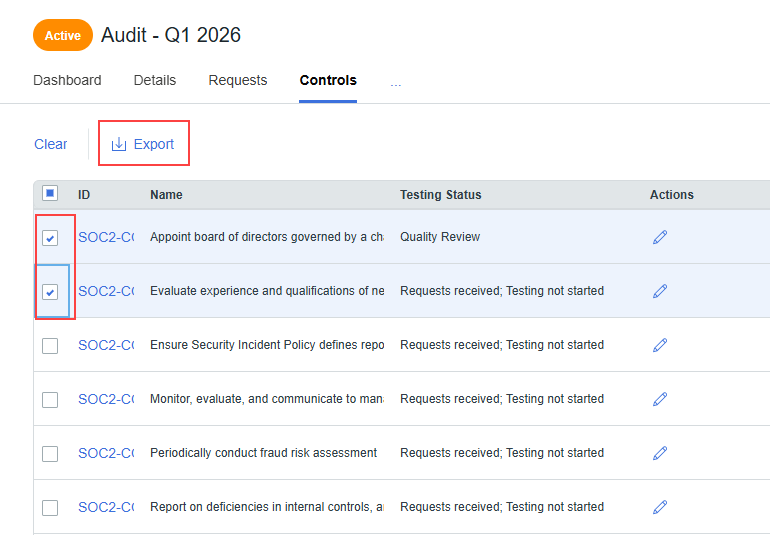
Click Export.
Click the Download button in the bottom-right corner to download the file now or check your email to download it later.
Sample audit test download file - Auditor
The export contains a separate record for each individual test. Common fields are repeated. For example, if you have 4 tests on a control, the export will contain 4 records, one for each test.
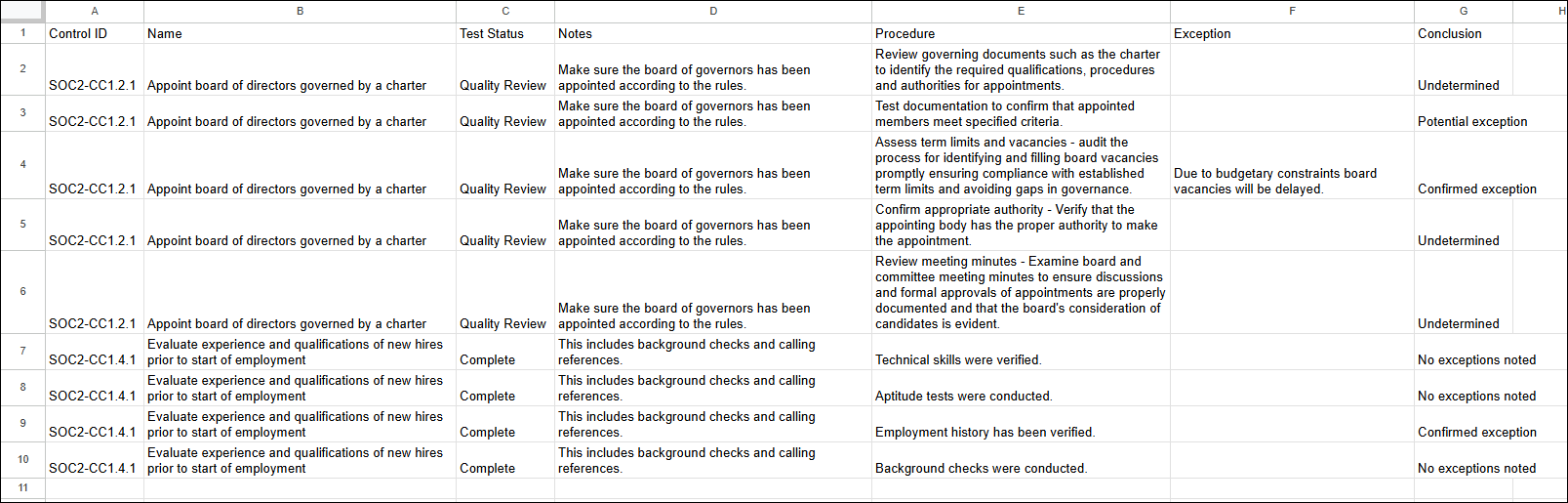
Sample audit test download file - Hyperproof user
The export contains a single record for each control you selected. The only test-related data is the overall test status set by the auditor.
