Exporting a risk assessment survey
Roles and permissions
The following roles can export a survey:
Anyone who is a manager on the survey
A survey can be exported as a CSV or XLSX (Excel) file. Note that responses are not included in the export.
From the left menu, select Assessments.
Select the Risk surveys tab.
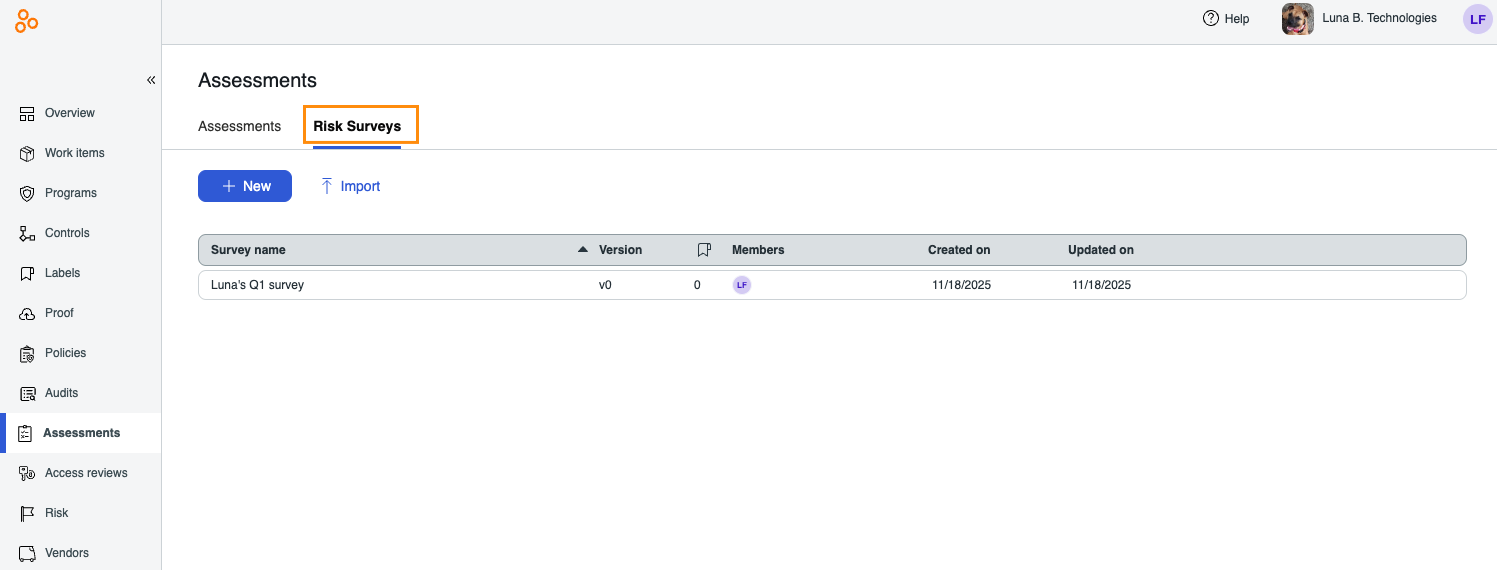
Select the survey you want to export.
In the right pane, click the Export icon.
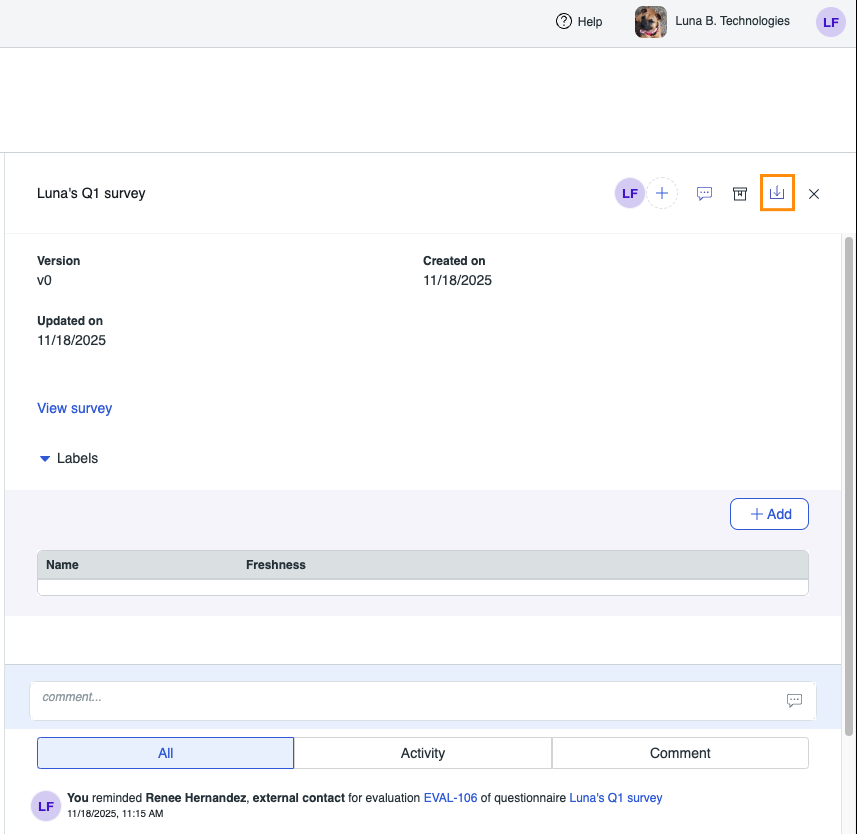
Select one of the following options:
Export as CSV - Exports the selected survey to a CSV file. Note that the export does not include answers to questions. Includes Section, Question ID, Question type, Question content, Possible answers, Required, Answer scores, Question weight, and Conditional questions.
Export as XLSX - Exports the selected survey to an Excel file. Note that the export does not include answers to questions. Includes Section, Question ID, Question type, Question content, Possible answers, Required, Answer scores, Question weight, and Conditional questions.