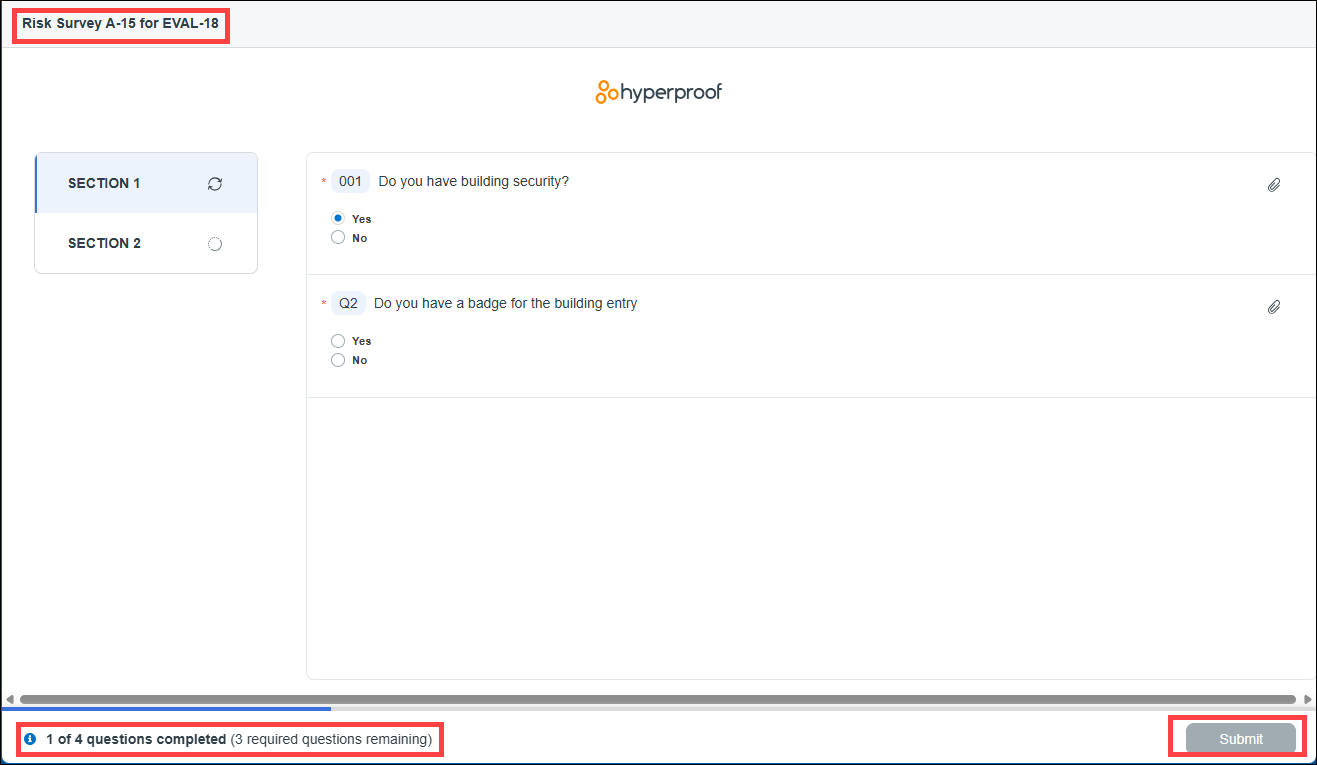
Risk assessment survey respondent view
Note
You must get a one-time passcode and log in to Hyperproof to access your task or risk assessment survey. See One-time passcodes for external users in Hyperproof Gov or One-time passcodes for external users in Hyperproof US and Hyperproof EU.
When a survey is sent to a respondent, they receive an email from Hyperproof with the subject line: "You have been assigned a questionnaire in Hyperproof." When the respondent opens the email, they see the Launch survey button. Clicking this button takes them through the authentication process and then opens the survey.

When the survey is launched, the respondent answers the questions directly in the survey portal. The respondent sees the survey name in the upper-left corner, the survey itself, and the progress bar in the bottom-left corner. When the respondent finishes the survey, they click the Submit button in the bottom-right corner.