Understanding the audit controls tab
Roles and permissions
The following users can access the audit controls tab:
Anyone who is a member of the audit can view the controls tab.
The following users can edit data on the audit controls tab:
Auditors who are members of the audit with an auditor role.
The Controls tab on an audit is used by auditors to record control testing processes and results and by other Hyperproof users to monitor the status of those tests. Auditors have an expanded view that is confidential and not available to other Hyperproof users.
Audit controls tab - All users
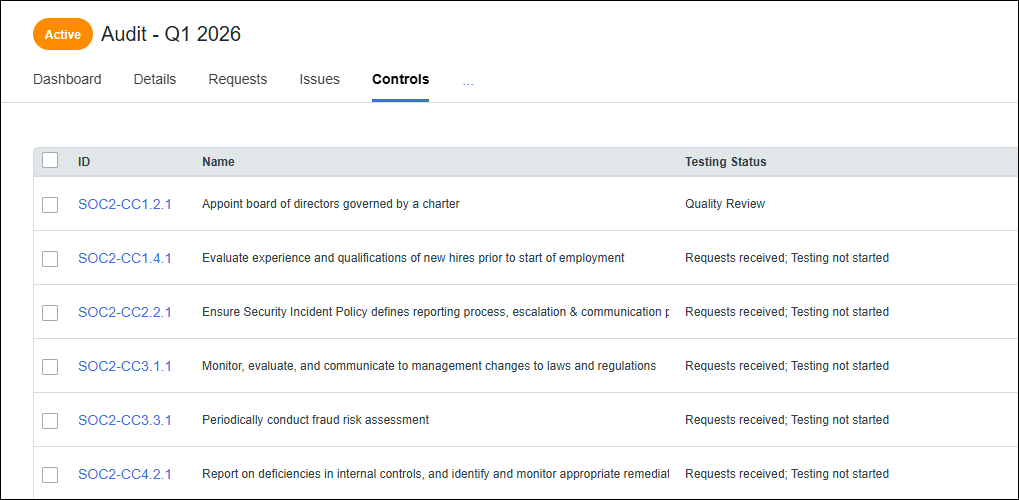
All members of the audit can view the following fields on the audit Controls tab.
Field | Definition |
|---|---|
ID | ID of the control being tested. Only the controls linked to audit requests are listed. |
Name | Name of the control being tested. |
Testing status | Overall status of the testing for the control. There may be multiple tests within this single record. Testing statuses include:
|
Audit controls tab - Auditors only
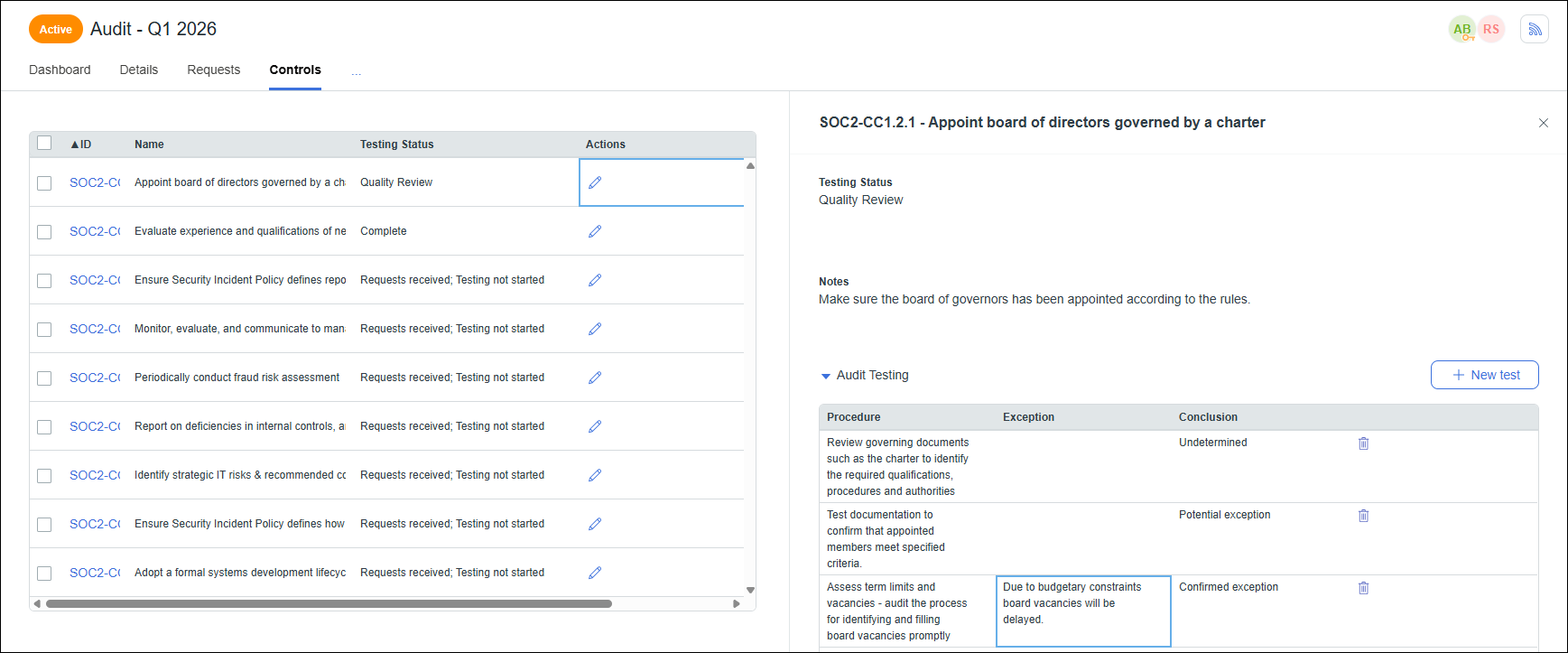
Auditors who are members of the audit with an Auditor role can view and edit the following fields on the audit Controls tab grid.
Field | Definition |
|---|---|
ID | ID of the control being tested. Only the controls linked to audit requests are listed. |
Name | Name of the control being tested. |
Testing status | Overall status of the testing for the control. There may be multiple tests within this single record. Testing statuses include:
|
Actions | Click the pencil icon in the Actions column to open the testing details for a control. |
When you click the pencil icon in the Actions column, a details panel opens for the selected control. In this panel you can record information about the tests you have performed.
Field | Definition |
|---|---|
Title | Displays the control ID and name. |
Testing status | Use this field to set the overall testing status for the control. Keep in mind that you may record the results of several tests in this single window. |
Notes | Enter general notes about the control and associated tests. |
+New test | Add new test rows to the Audit Testing table describing the tests that will be conducted. |
Audit Testing | This table contains the information for individual tests in the following fields:
|