Exporting proof from a program
Roles and permissions
The following roles can export proof from a program:
Anyone who is a manager or contributor on the program
Note
You can only export private proof if you are a member of that proof. The lock icon in the grid next to the proof name indicates that a piece of proof is private.
Note
You can't export all proof in a single export. If you select more than 1GB of proof, Hyperproof exports it in batches of 1GB, up to a total of 5GB. For example, if you select 2.5 GB of proof, Hyperproof generates 2 ZIP files of 1GB each and a third ZIP file of 0.5 GB.
From the left menu, select Programs.
Select your program.
Select the ... (More options) tab, and then click Export proof.
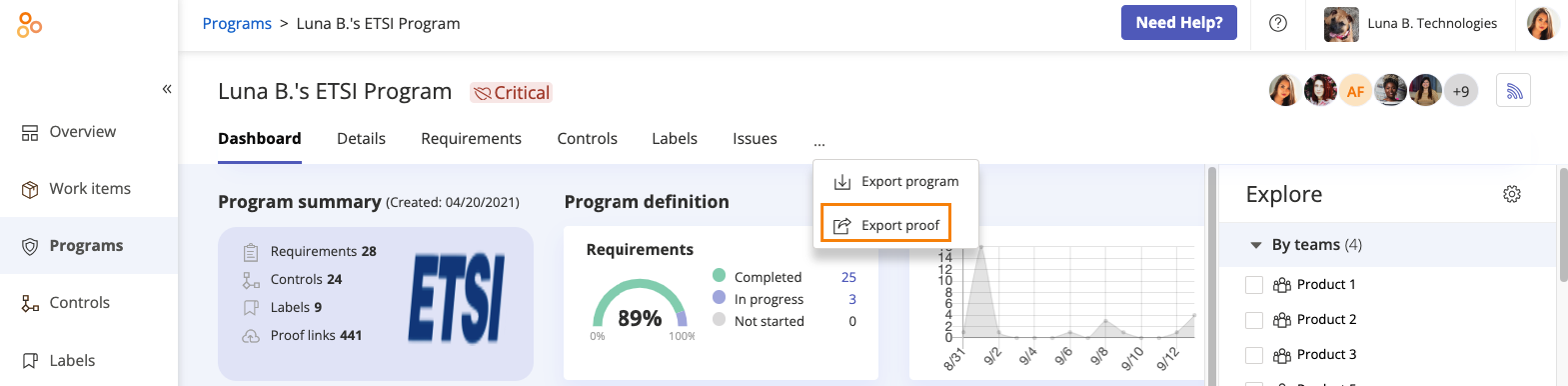
The Export proof window opens.
Click Export. The proof is gathered in a single folder and downloaded as a zip file.
Program overflow menu
Watch this short video to learn more about exporting proof.