Converting an attachment to proof on a task
Roles and permissions
The following roles can convert an attachment to proof:
Anyone with manager or contributor permissions for the task.
Note
Attachments linked to a repeating task are automatically inherited by the tasks it generates. These inherited attachments cannot be converted to proof. However, attachments added manually to individual tasks can be converted to proof.
From the left menu, select Work Items.
Select the Tasks tab.
Select the task with the linked attachment.
In the right pane, click ... next to the attachment.
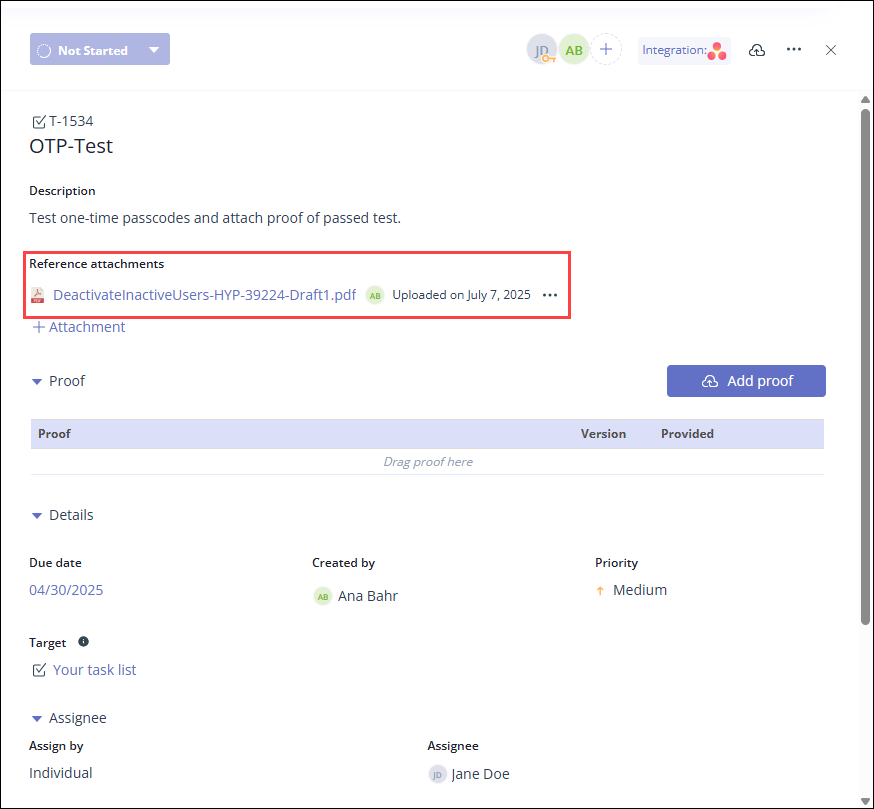
Click Convert to proof.
Note
If the attachment came from a repeating task, the Convert to proof option is grayed out. Attachments inherited from a repeating task can't be converted to proof.
The attachment is converted to proof. The proof can be found in the task's Proof section and in the proof main list.
Alternatively, an attachment can be converted to proof via the Proof preview window. Open the attachment, and then click the arrow next to the Download button. Click Convert to proof.